Request a Quote
PROFESSIONAL MULTILINGUAL DESKTOP PUBLISHING SERVICES

Desktop Publishing Service for Multilingual Documents

Textsprime provides professional desktop publishing services for translated manuals, brochures, catalogs, PDFs, eBooks, presentations, and marketing materials. After translation, we adjust text, fonts, images, charts, tables, page flow, and document layouts to preserve the original visual hierarchy, design intent, and brand consistency across print and digital formats. Our multilingual DTP workflow supports projects in 230+ languages and 800+ language pairs.

Multilingual DTP Layout Restoration Print & Digital Output 230+ Languages
Since 2002Supporting global document translation needs
30,000+Linguists and subject-matter experts
800+Language pairs for business projects

Get Your Free Quote

We will reply within 15 minutes.

100K+ Clients
★ 4.9 Rating
Services Page Form

Files larger than 50 MB? Please email them to quote@wordsprime.com and include your project details in the message.

SSL Encrypted GDPR Compliant HIPAA Compliant
Multilingual DTP Services

Professional Desktop Publishing Services for Translated Documents

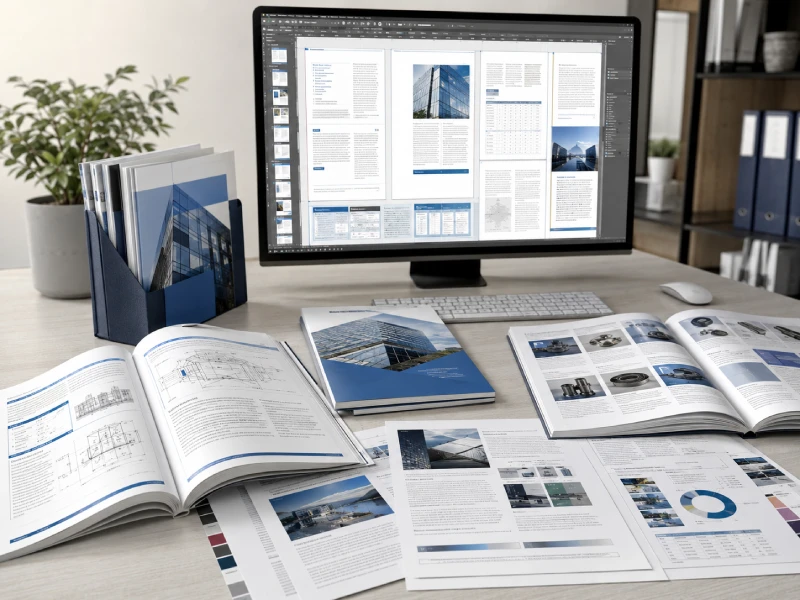
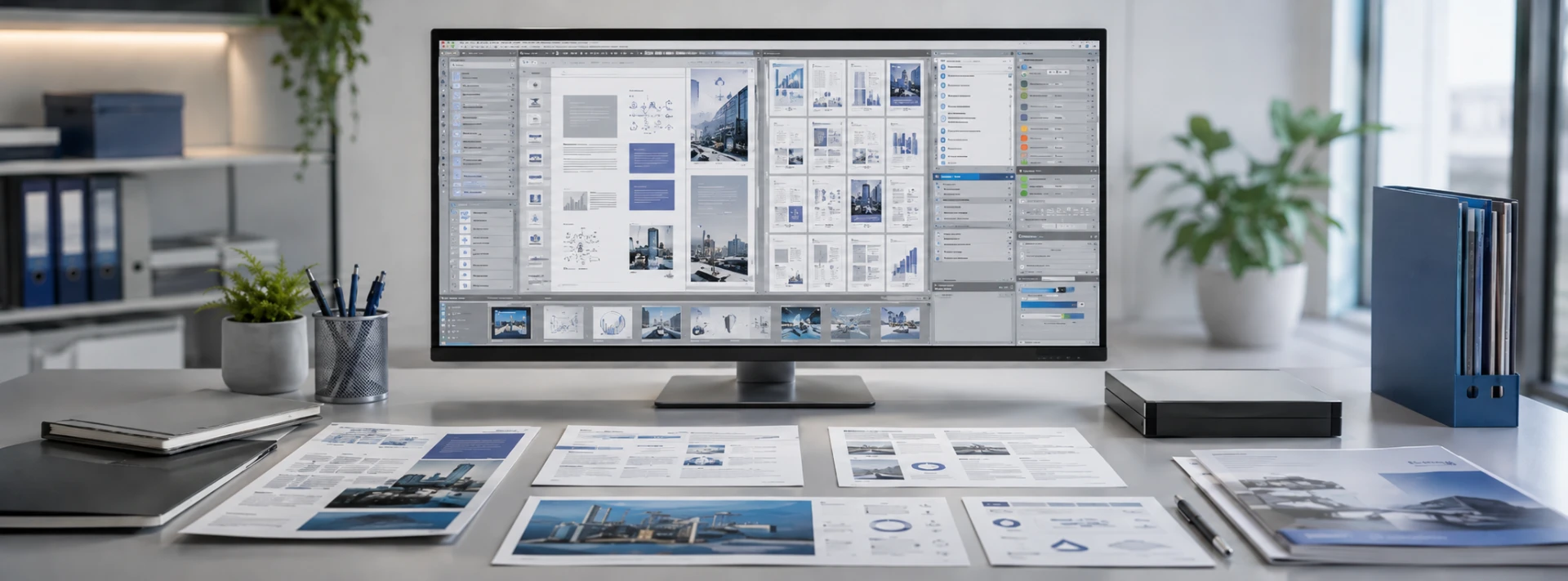
Professional multilingual desktop publishing workspace with translated manuals, brochures, catalogs and digital documents
Professional layout restoration for translated manuals, brochures, catalogs, presentations, PDFs, and other publication files.

Once translated content is approved, every page must be adapted to the way the target language behaves. Textsprime restores the text within the original file or a reconstructed layout, then adjusts typography, graphics, tables, spacing, and page flow so the document remains readable, visually consistent, and ready for its intended use.

Desktop Publishing Translation Services

Translation and DTP are separate but connected stages. After translation, editing, or localization, approved content is placed into the original layout or a rebuilt template, then fonts, text boxes, paragraph styles, spacing, pagination, charts, and other visual elements are refined.

Multilingual Desktop Publishing Services

Whether one target-language file or several coordinated language versions are required, shared templates and layout standards help maintain consistent hierarchy, imagery, and brand presentation across technical, marketing, and corporate documents.

Professional DTP for Print and Digital Use

Print projects may require bleed, crop marks, image-resolution checks, color preparation, font embedding, and print-ready PDF output. Digital files are prepared for screen readability, links, navigation, editable delivery, eBooks, presentations, and online distribution.

The Value of Professional DTP

Why Desktop Publishing Matters

Visual Continuity

Preserve the Original Visual Impact after Translation

Professional desktop publishing does more than place translated words back on a page. It protects the information hierarchy, visual emphasis, brand style, and reading path that make the source document effective, while allowing the target-language layout to adapt where necessary.

Source DocumentDesign Intent
Target-Language FileLocalized Layout
  • Information hierarchy
  • Visual emphasis
  • Brand consistency
  • Natural reading flow
Page Flow

Manage Text Expansion, Contraction and Page Flow

Translated text may become longer or shorter, causing overflow, changed line counts, misplaced lists, awkward page breaks, or an imbalance between text and images. DTP specialists adjust text frames, spacing, type size, pagination, and visual placement without relying on excessively small fonts.

Readability

Maintain Readability and Usability

Headings, body copy, footnotes, tables, captions, and warning boxes must remain clear. Technical documents also need usable numbered procedures, cross-references, and diagram references, while marketing materials must retain visual appeal and brand presence.

Final Output

Produce Publication-Ready Documents

The final document is prepared for its agreed purpose: print-ready, digital-ready, or editable. Before delivery, linguistic and visual checks verify text placement, fonts, page flow, images, links, and technical output settings.

Global Publishing

Benefits of Desktop Publishing for Global Content

Well-managed DTP improves the target-language reading experience while keeping multilingual materials coordinated across markets and versions.

  • Consistent brand presentation
  • Faster multilingual release cycles
  • Less internal reformatting work
Desktop Publishing Explained

What Is Desktop Publishing in Translation?

Direct Definition

What Is Desktop Publishing?

Desktop publishing is the professional process of organizing text, images, graphics, tables, and other page elements with page-layout and design tools. It turns content into a structured, readable document that can be released for print or digital use.

What Is Desktop Publishing DTP?

DTP is the abbreviation for Desktop Publishing. In translation projects, it usually refers to multilingual typesetting, layout adjustment, and publication-file preparation after translated content has been approved.

Desktop Publishing Definition and Meaning

As a professional service, desktop publishing means preparing a document's content and visual structure so its pages remain consistent, readable, technically complete, and suitable for the agreed delivery format.

How Do You Define Desktop Publishing for Translated Documents?

For translated documents, DTP means restoring or rebuilding the page design in a new language version, including fonts, text flow, images, charts, tables, contents pages, headers, footers, and pagination.

Original source document and translated target-language version showing professional layout adaptation
A translated layout is adapted to the target language rather than copied mechanically from the source file.
People, Process & Tools

Desktop Publishing Service vs. Desktop Publishing Software

Professional Service

Managed Desktop Publishing Work

A professional DTP service combines specialist expertise, multilingual coordination, visual judgment, QA, and final publication delivery.

  • Source-file and layout assessment
  • Multilingual typesetting and adjustment
  • Linguistic and visual review
  • Final print, digital, or editable output
Software Tool

Technology Used to Build the File

Desktop publishing software provides the technical environment used to edit, arrange, and output page files. The software itself is a production tool, not the complete professional service.

  • Provides layout and editing functions
  • Does not independently assess project scope
  • Does not replace target-language review
  • Does not replace visual and technical QA

Software enables production; a professional desktop publishing service manages the analysis, layout decisions, review, and final delivery performed with those tools.

Global Document Production

Multilingual Desktop Publishing and DTP Services

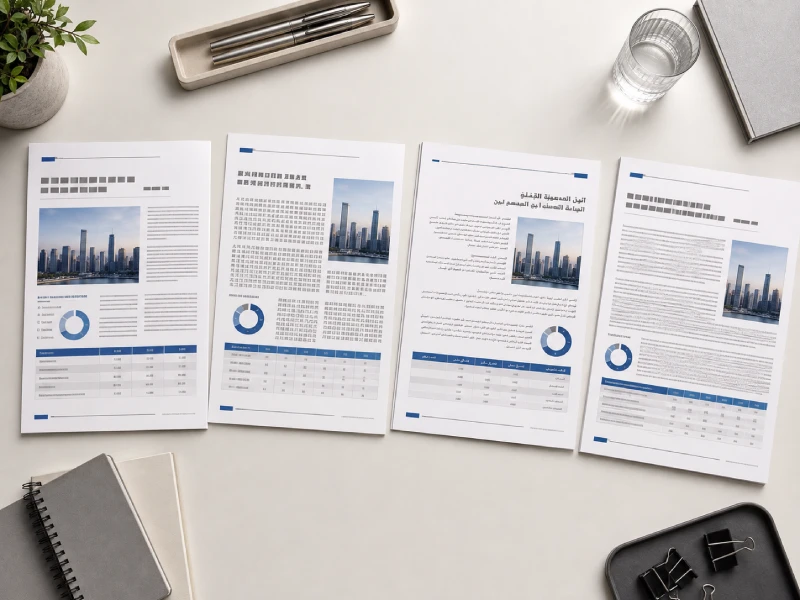
Multilingual desktop publishing documents adapted for Latin, CJK and right-to-left language layouts
Multilingual layouts are adapted to each writing system while preserving a coordinated document structure and brand presentation.
Multilingual Projects

Multilingual Desktop Publishing DTP for Global Projects

When several language versions are produced together, shared templates, file specifications, font rules, and QA checklists help create a consistent production framework. Each language can still be adjusted for its own typography, text length, and page-flow requirements.

Foreign Languages

Desktop Publishing for Foreign Languages

Foreign-language DTP involves more than replacing source text. Font availability, character support, line breaks, punctuation, capitalization, numbers, and regional conventions can all affect how the final page needs to be structured.

Consistent Layouts

Consistent Layouts across Multilingual Versions

Shared styles help align headings, captions, tables, contents pages, and image placement across languages. The objective is coordinated visual consistency, not rigid pixel-for-pixel copying when a language requires different spacing or page flow.

CJK

DTP for CJK and Double-Byte Languages

Chinese, Japanese, and Korean require suitable fonts, complete character coverage, appropriate text density, language-specific line-breaking rules, and correct punctuation placement. Horizontal or vertical layout requirements are evaluated according to the file and intended use.

  • Chinese, Japanese and Korean font support
  • Character density and line-break control
  • Punctuation and writing-direction requirements
RTL

Right-to-Left Desktop Publishing

Arabic, Hebrew, and other right-to-left languages may require changes to reading direction, page flow, lists, tables, arrows, icons, and mixed-language content. Numbers, product codes, and embedded Latin text must also remain correctly ordered.

  • Right-to-left page and reading flow
  • Mixed RTL and Latin content handling
  • Tables, lists and directional elements
Aa

Locale-Specific Typography and Formatting

Local formatting can affect fonts, quotation marks, punctuation, dates, numbers, units, spacing, hyphenation, widows, and orphans. These details are adjusted for the target market without making unsupported changes to the established brand design.

  • Regional dates, numbers and units
  • Punctuation, quotation and spacing rules
  • Hyphenation and page-flow control

Consistency does not require every language to use identical page geometry. Textsprime preserves shared templates, hierarchy, and brand styling while allowing necessary adjustments for script, typography, reading direction, and regional formatting.

DTP Service Scope

What Types of Desktop Publishing Services We Offer

Document Formatting and Typesetting

We organize translated content using appropriate fonts, heading levels, paragraph styles, line spacing, character spacing, margins, columns, and page breaks so the document remains structured and readable.

  • Headings, body styles and typography
  • Margins, columns and pagination
  • Headers, footers, footnotes and page numbers
  • Contents, indexes and cross-references

Layout Design and Layout Restoration

Existing design files can be adjusted for translated content, while PDFs or scanned documents can be rebuilt when the original layout files are unavailable. Missing text boxes, grids, styles, and page structures can be recreated as part of the agreed scope.

  • Original layout adjustment
  • Page and template reconstruction
  • Text-box and grid restoration
  • Layout refinement without automatic redesign

Document Conversion and Scanned-to-Digital DTP

Non-editable PDFs, scanned files, archived documents, and legacy materials can be converted into workable digital formats through OCR, text correction, reformatting, and layout reconstruction. Results depend on the quality and complexity of the source material.

  • PDF-to-editable conversion
  • OCR and extracted-text correction
  • Scanned-document reformatting
  • Legacy-file layout rebuilding

Image Localization, Graphics and Visual Adaptation

Text embedded in images, diagrams, charts, screenshots, and infographics can be replaced or rebuilt when the graphic files and project scope allow it. Visual adjustments are made to support the target market while maintaining the established brand direction.

  • Text inside images and diagrams
  • Charts, callouts and infographic content
  • Icons, screenshots and visual labels
  • Project-specific visual adaptation

Copy Editing and DTP-Ready Content Cleanup

Where copy editing is included in the project scope, language specialists can review grammar, spelling, style, tone, and content consistency before final typesetting. DTP specialists focus on layout and formatting rather than independently rewriting uncertain translations.

  • Pre-layout language cleanup when contracted
  • Grammar, spelling and style review
  • Coordination between linguists and DTP specialists
  • Clear separation of language and layout roles

Custom Graphics Templates and Page Templates

Reusable master pages and document styles can be created or refined for multilingual production. Paragraph, character, object, and table styles provide a more controlled foundation for repeated products, recurring reports, and ongoing multi-market releases.

  • Master pages and reusable layouts
  • Paragraph and character styles
  • Object and table style systems
  • Templates for recurring multilingual releases
Documents We Prepare

Desktop Publishing Documents, Materials and Package Examples

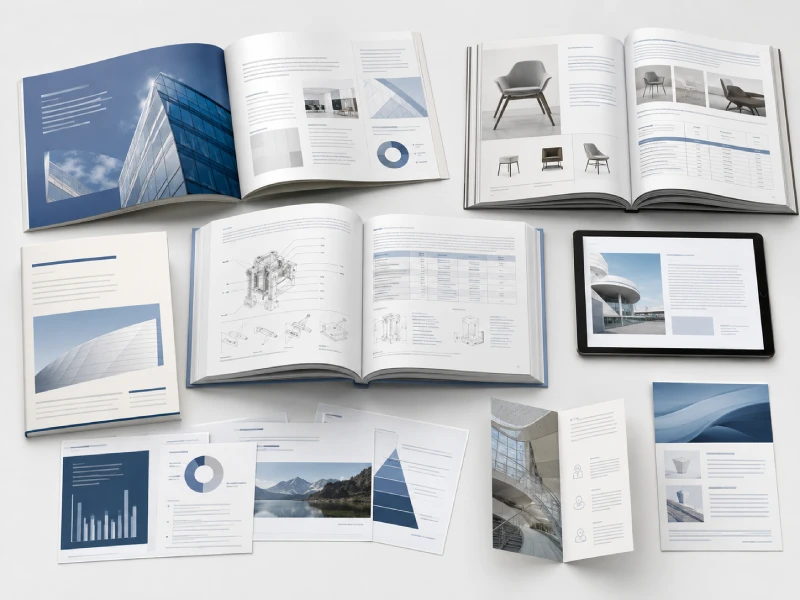
Professional multilingual brochures, catalogs, manuals, reports and digital publications prepared through desktop publishing
Multilingual DTP supports technical, marketing, corporate, and digital publications across both print and online delivery.
Marketing Publications

Brochure Desktop Publishing

Corporate brochures, product brochures, event booklets, folding leaflets, and other branded materials often need careful rebalancing after translation so text expansion does not disrupt imagery, hierarchy, or the intended marketing presentation.

Product Content

Catalog Desktop Publishing and Product Documents

We format print and online catalogs, product sheets, sales materials, price lists, specification sheets, and multilingual SKU documents while keeping product families and repeated page structures visually consistent.

Technical Documentation

Manual Desktop Publishing and Technical Documents

User manuals, installation guides, operation and maintenance manuals, training documents, datasheets, specifications, and engineering materials require stable tables, diagrams, numbered steps, warnings, and page references after translation.

eBook Desktop Publishing, PDFs and Digital Publications

PDF eBooks, reports, white papers, online guides, and downloadable resources are prepared around screen readability, navigation, page structure, and the agreed digital publishing format.

PDF eBooksWhite PapersDigital Reports

Presentations and Slide Decks

PowerPoint presentations, training decks, sales presentations, and corporate materials are checked for text overflow, chart alignment, SmartArt, image placement, and compatibility with the final file.

PowerPointTraining DecksSales Presentations

Marketing Collateral and Point-of-Sale Displays

Advertising materials, posters, banners, exhibition graphics, wall displays, POS materials, and promotional documents can be adapted to new languages while retaining the established visual direction.

PostersExhibition MaterialsPOS Displays

Reports, Forms, Newsletters and Corporate Documents

Annual reports, research reports, forms, corporate newsletters, policy documents, training materials, and internal communications can be formatted for consistent multilingual business use.

ReportsFormsCorporate Documents
Typical Project Configurations

Desktop Publishing Package Examples

The examples below illustrate common production combinations rather than fixed-price packages. Final scope and pricing are determined after the files are reviewed.

Translated Content → Native Layout → QA → Print-Ready PDF

Suitable when the original editable design file is available and the approved translation needs professional typesetting and final publication preparation.

Scanned PDF → OCR → Translation → Layout Reconstruction

Designed for legacy or non-editable files that require text extraction, language processing, page rebuilding, and an editable final document.

Multilingual Brochure → Image Localization → Multi-Version Output

Useful for marketing materials that need several language editions together with translated graphics and coordinated print or digital deliverables.

Manual Update → Translation Memory → DTP → Version Control

Suitable for recurring technical-document updates where existing translation assets and established layouts can support more consistent version-to-version production.

Project-based quotation:file type, source-file quality, language count, graphics, layout complexity, QA requirements, and final deliverables are reviewed before pricing is confirmed.

Industry-Specific DTP

Desktop Publishing Services by Industry

Digital Products

Technology and Software

Software manuals, help documentation, product guides, and release materials often need coordinated updates to interface screenshots, UI labels, variables, placeholders, and character-limited content. DTP also helps keep terminology consistent between product interfaces and supporting documentation.

User GuidesHelp ContentUI Screenshots
Technical Documentation

Manufacturing and Engineering

Technical manuals, drawings, CAD callouts, specifications, and training materials require careful treatment of units, symbols, component names, safety information, tables, diagrams, warning boxes, and numbered procedures across multilingual versions.

ManualsDrawingsSpecifications
Product & Service

Automotive and Transportation

Owner manuals, repair manuals, parts catalogs, and training materials may span multiple vehicle models, product families, and regional editions. Consistent page structures help keep technical information and repeated content aligned across market versions.

Owner ManualsRepair GuidesParts Catalogs
Controlled Content

Healthcare, Medical Devices and Life Sciences

IFUs, device manuals, clinical materials, and training documents require strong readability, careful handling of warnings, controlled file access, and appropriate linguistic review. Any additional regulatory or compliance requirements are confirmed according to the specific project scope.

IFUsDevice ManualsTraining Materials
Consumer Content

Retail, E-Commerce and Consumer Products

Product catalogs, packaging-related documents, product descriptions, and promotional materials often require regional adjustments to dimensions, units, product attributes, and content presentation so online and offline marketing materials remain coordinated.

CatalogsProduct SheetsPromotional Materials
Brand Publishing

Marketing, Media and Publishing

Brochures, advertisements, eBooks, magazines, newsletters, and brand reports need multilingual layouts that balance natural target- language text with visual appeal, established design systems, and consistent brand presentation.

BrochureseBooksNewsletters
Learning Content

Education, E-Learning and Professional Training

Training manuals, learning materials, course presentations, and e-learning content need to preserve instructional structure, learning objectives, page sequence, and the relationship between explanatory text, diagrams, screenshots, and supporting visuals.

Training ManualsCourse SlidesE-Learning Content
Sensitive Documents

Legal, Patent and Compliance

Patent illustrations, legal document layouts, policies, and compliance materials can require controlled file handling, version management, precise placement of references, and professional linguistic review without allowing DTP changes to alter the intended legal or technical meaning.

Patent FilesPoliciesCompliance Materials
Customer Communication

Travel, Hospitality and Corporate Communications

Guides, menus, promotional materials, training documents, and customer communications may require localized time, currency, regional formats, and cultural elements while maintaining a consistent visual identity across customer-facing and internal materials.

GuidesMenusCorporate Materials

The DTP workflow is configured around the document, language, industry context, and final publishing use. Specialist linguistic review can be added where technical, medical, legal, or other subject-specific content requires additional language expertise.

Language + Design Expertise

Why Multilingual Desktop Publishing Requires Language and Design Expertise

Professional multilingual document review involving typography, layout, language checks and publishing quality assurance
Effective multilingual DTP combines target-language knowledge, typography, publishing judgment, and human quality review.
Language Conventions

Native-Language Typography and Reading Conventions

A translated document cannot simply inherit every source-language layout decision. Professional multilingual DTP must account for target-language line breaks, punctuation, numbers, font conventions, reading direction, and character density so the page feels natural to the intended reader.

✓ Line breaking✓ Reading direction✓ Character density✓ Local typography
Document Context

Subject-Matter and Document Context

Technical, medical, legal, and other specialist documents contain relationships between headings, warnings, captions, units, and terminology that must remain intact. DTP specialists should not independently change uncertain terms or professional meaning; linguistic questions are returned to the language team.

Font Support

Font Substitution and Character Support

Target-language fonts must cover the required characters and remain suitable for the final publication. When substitution is needed, the replacement should consider visual style, licensing, weight, type size, line height, and performance in print or on screen.

Production Knowledge

Print Production and Digital Publishing Knowledge

Print projects may require attention to image resolution, color settings, bleed, crop requirements, and fonts. Digital publications place more emphasis on links, navigation, screen readability, file size, editable output, and device compatibility.

Human Review

Human Linguistic and Visual Review

After layout, target-language reviewers check readability, text order, punctuation, spacing, and possible omissions. DTP specialists verify visual and technical integrity, while project management coordinates corrections, versions, and final delivery.

Coordinated Human ReviewLanguage accuracy and layout quality are handled by clearly defined roles.
01
Language ReviewerMeaning • terminology • readability
02
DTP SpecialistTypography • layout • file integrity
03
Project ManagerFeedback • versions • delivery
Why Textsprime

Why Choose Textsprime as Your Desktop Publishing Company?

01Expertise & Standards

The Right People for the Language, File and Industry

DTP resources are matched to the target language, document type, subject matter, and production requirements rather than treating every multilingual file as the same formatting task.

01

Subject-Matter DTP Specialists and Native-Language Reviewers

Projects can combine a DTP specialist, linguist, reviewer, and project manager according to the language, industry, document type, and design environment. Linguistic review remains with qualified language professionals rather than being assigned entirely to layout personnel.

02

Professional DTP Expertise and Print-Ready Standards

Our workflow can include professional typesetting, layout restoration, graphic adjustment, and preflight checks, with delivery prepared as editable source files, review PDFs, digital files, or print-ready output according to the agreed specification.

03

ISO-Aligned Quality & Security Standards

Projects follow quality and security practices aligned with ISO 9001, ISO 17100, and ISO/IEC 27001 principles, supporting structured resource selection, review procedures, controlled access, and secure document handling.

02Production & Scale

One Workflow from Language Assets to Final Layout

Multilingual production becomes easier to control when files, terminology, translation assets, DTP resources, QA, and revisions are managed within a coordinated project workflow.

04

Centralized Translation Management

Project setup brings together file and version management, linguistic and DTP resources, terminology and translation-memory access, QA records, progress tracking, and final delivery through one coordinated production structure.

05

AI-Enhanced, Human-Reviewed Production

When translation is included in the DTP project, AI and machine translation workflows may support high-volume processing, repetitive content reuse, and automated QA. Human professionals remain responsible for linguistic quality, visual judgment, and final usability.

06

Scalable Multilingual Delivery

The same production framework can support a single-page file, one brochure or manual, coordinated multilingual releases, high-volume document collections, recurring updates, and product families distributed across multiple markets.

07

Professional Manual DTP

Technical manuals, user guides, and training materials can be reformatted while preserving tables, diagrams, numbered procedures, warning boxes, contents pages, captions, and page references across translated versions.

03Delivery Confidence

Clear QA, Secure Handling and Project-Based Delivery

Final delivery is planned around the actual files, language scope, review requirements, publishing purpose, and deadline rather than relying on a one-size-fits-all production model.

08

Quality Assurance before Delivery

Final QA can include linguistic review, layout checks, font and character verification, image and link inspection, technical output testing, and confirmation that the file is suitable for its intended print or digital use.

09

Flexible Volumes and Fast Turnaround

Small and large DTP projects can both be accommodated. Scheduling is determined by page count, language count, source-file condition, layout complexity, review requirements, and available production resources, with urgent requests assessed before a timeline is confirmed.

10

Confidential & Secure Handling

Secure file transfer, controlled project access, confidentiality obligations, and managed document handling support sensitive product information, legal files, medical materials, and confidential internal communications.

11

Transparent Project-Based Pricing

Files are reviewed before a formal quotation is prepared so the scope can clearly identify formats, languages, turnaround, review requirements, and deliverables. Basic formatting, complex reconstruction, graphic editing, and linguistic review can be priced according to the work actually required.

Integrated DTP DeliveryLanguage + Layout + QA + Project Management
✓ Multilingual production✓ Print & digital output✓ Human-reviewed delivery✓ Project-based pricing
Multilingual DTP Coverage

Supported Languages for Desktop Publishing: DTP for Foreign Languages and Complex Scripts

CJK01

Chinese, Japanese & Korean

CJK desktop publishing requires careful font selection, character support, text-density control, language-specific line breaking, and correct punctuation placement.

✓ Font coverage✓ Character density✓ Line breaking
RTL02

Arabic, Hebrew & RTL Scripts

Right-to-left DTP may require changes to page flow, lists, tables, arrows, icons, navigation, and mixed-language content containing numbers or left-to-right text.

✓ Reading direction✓ Mixed-language text✓ Directional elements
EU03

European Languages

European-language layouts often require adjustments for text expansion, long words, punctuation, spacing, hyphenation, and regional date, number, and unit conventions.

✓ Text expansion✓ Local punctuation✓ Regional formatting
01
CJK

Chinese Desktop Publishing

Simplified + TraditionalHorizontal layouts and project-specific requirements
✓ Chinese font support✓ Character coverage✓ Punctuation & line breaks✓ Text-density control
BrochuresCatalogsManualsDigital Files
02
CJK

Japanese Desktop Publishing

Kana + KanjiLayout direction confirmed from source and intended use
✓ Japanese font support✓ Character spacing✓ Line-break rules✓ Punctuation positioning
ManualsCatalogsReportsMarketing Files
03
RTL

Arabic Desktop Publishing

Right-to-LeftArabic + numbers + English or code
✓ RTL page flow✓ Mixed-direction text✓ Tables & lists✓ Arrows, icons & contents
BrochuresManualsReportsCorporate Files
04
LATIN

French Desktop Publishing

Left-to-RightEuropean typography and spacing conventions
✓ Text expansion✓ Punctuation spacing✓ Text-frame adjustment✓ Page-flow control
BrochuresCatalogsCorporate Materials
05
LATIN

German Desktop Publishing

Left-to-RightLonger words and expanded technical content
✓ Compound words✓ Text-box adjustment✓ Tables & headings✓ Pagination control
Technical FilesManualsProduct Documents
06+
Additional Language Coverage

More CJK, RTL and European Languages

KoreanHebrewSpanishPortugueseItalianDutchRussian

A multilingual layout should remain consistent without forcing every language into identical typography or page geometry. Fonts, punctuation, text flow, direction, spacing, and regional formatting are adjusted according to the target language and document requirements.

From File Audit to Final Delivery

Our Desktop Publishing Process

Project Assessment

Source File & Layout Audit

We begin by reviewing the source files, page count, language requirements, editability, linked assets, fonts, graphics, and embedded text. We also confirm whether the document is intended for print, digital publishing, editable delivery, or a combination of outputs.

01
Audit Includes
  • File type and editability
  • Page and language count
  • Fonts, links and graphics
  • Final output requirements
Workflow Decisions
  • DTP only or translation + DTP
  • Linguistic review level
  • OCR and reconstruction scope
  • Schedule and deliverables
02
Project Configuration

Workflow & Quote Configuration

Based on the audit, we define the production workflow, required linguistic review, OCR, conversion, graphic editing, and layout reconstruction. DTP specialists, linguists, QA resources, and project management are then configured into a clear project scope, timeline, and deliverables list.

Production Preparation

File, Font, Link & Terminology Preparation

Native files and associated resources are organized before typesetting begins. Fonts are checked for licensing and target-language character support, linked graphics are collected, brand templates are confirmed, and approved translations, terminology, and reference materials are prepared for production.

03
Production Assets
  • Native files and linked assets
  • Font and character support
  • Brand guides and templates
  • Translation and terminology assets
Layout Work
  • Paragraph and character styles
  • Text frames and typography
  • Tables, graphics and labels
  • Terminology questions escalated
04
Typesetting

Translated Content Import, Typesetting & Subject-Matter Review

Approved translations are imported into the production files and formatted with the required paragraph, character, table, and object styles. Text boxes, fonts, spacing, graphics, labels, screenshots, and captions are adjusted while language uncertainties are sent back to the appropriate linguistic reviewer.

Quality Assurance

Linguistic & Functional QA

The completed layout is checked for missing or duplicated text, overflow, incorrect hierarchy, font issues, numbers, units, product codes, captions, references, lists, contents pages, hyperlinks, and language-specific formatting such as RTL and CJK rules.

05
QA Focus
  • Overflow and truncation
  • Numbers, units and codes
  • Links and cross-references
  • RTL, CJK and locale rules
Native Review
  • Natural line breaking
  • Text order and completeness
  • Punctuation and spacing
  • Language issues documented
06
Post-Layout Language Review

Post-Layout Review by a Native Linguist

A target-language reviewer checks whether the completed layout remains natural and readable. The review identifies problems with line breaks, punctuation, spacing, text order, omissions, or changes introduced during layout, and records corrections for the DTP specialist.

Finalization

DTP, Client Review & Final Delivery

The DTP specialist applies approved QA and linguistic corrections, provides review files where required, and incorporates client feedback within the agreed scope. Final language and visual checks are completed before the approved editable, digital, or print-ready files are delivered.

07
Final Deliverables
  • Editable source files
  • Review or final PDFs
  • Print-ready or digital output
  • Reusable project assets
File Audit → Preparation → Typesetting → QA → Native Review → Final DeliveryEach stage is configured according to the source files, target languages, layout complexity, publishing use, and agreed review scope.
Multilingual Production Technology

Technology & Tools

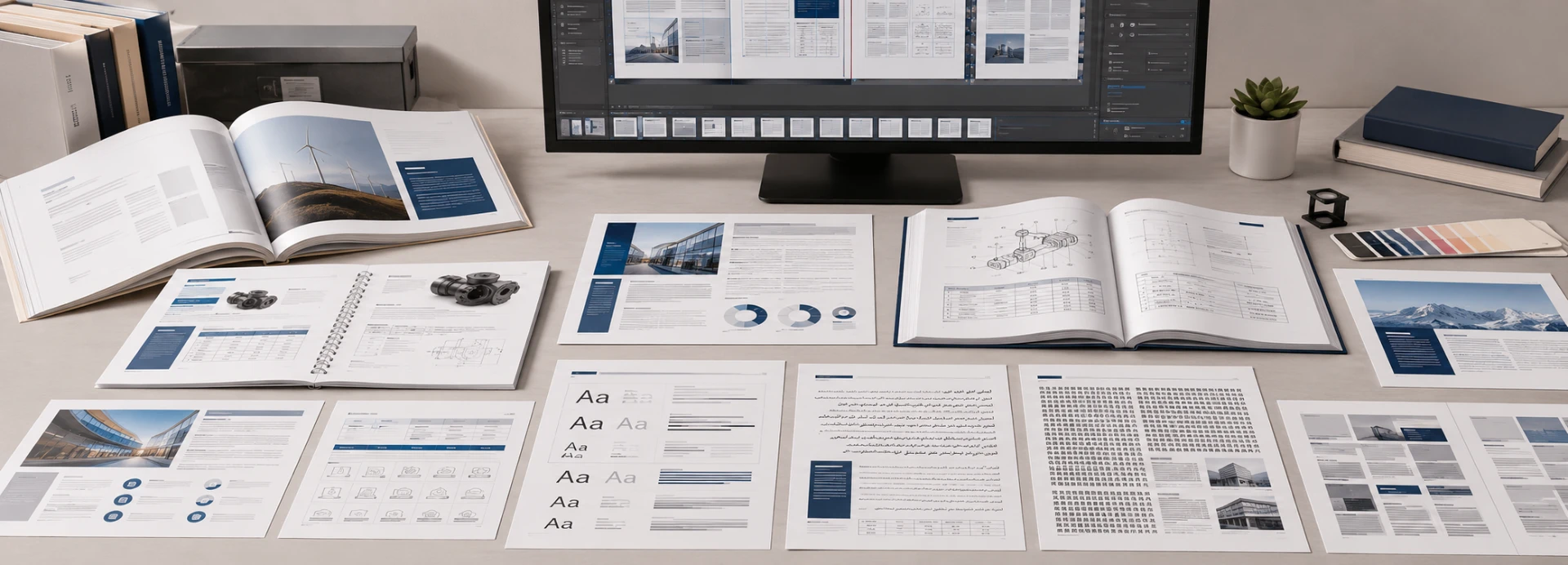
Professional multilingual desktop publishing workstation used for document layout, language resources, quality assurance and file production
Translation technology, language assets, professional authoring tools, and human review work together in one controlled DTP production workflow.
01
Workflow Technology

Workflow & Language Technology

01

Cloud-Based Translation Management System

A centralized translation management environment can support project planning, workflow configuration, file and version management, team collaboration, review tracking, QA records, and coordinated multilingual delivery.

02

Multi-Engine AI Machine Translation

When translation forms part of the DTP project, different machine translation engines may be selected according to language, content type, and project requirements. This can support high-volume or repetitive content, but final language quality remains subject to professional review.

03

Human MTPE for DTP-Ready Content

Before machine-translated content enters the final layout, professional reviewers can check terminology, grammar, numbers, units, warnings, and naturalness. Linguists remain responsible for the language while DTP specialists handle the page layout.

04

Automated Translation QA & Formatting Checks

Automated QA can identify missing or duplicated content, inconsistent numbers and units, terminology conflicts, variables, placeholders, URLs, special characters, spacing, and punctuation issues before human linguistic and visual review.

02
Reusable Language Assets

Language Assets & Security

05

Bilingual Alignment & Translation Memory

Previous source and translated documents can be aligned to create reusable translation memory. This supports future document updates, reduces repeated translation work, and helps maintain terminology consistency across recurring versions.

06

Terminology Management

Terminology resources can control product names, component names, technical terms, brand language, safety wording, regional variants, prohibited translations, and client-preferred expressions across multilingual content.

ProductsComponentsSafetyBrand Language
07

Secure Workflow & Data Handling

Controlled access, secure file transfer, permissions, version management, and confidentiality procedures support the handling of sensitive documents, internal materials, and information about products that have not yet been released.

  • Controlled project access
  • Secure file transfer
  • Version and permission control
03
Professional Authoring

DTP & Authoring Tools

08

Adobe InDesign Desktop Publishing and Creative Tools

InDesign workflows can support INDD and IDML files, master pages, paragraph and character styles, links, layers, and output settings. Illustrator and Photoshop may also be used where editable graphics, images, or localized visual content form part of the project.

INDDIDMLIllustratorPhotoshop
09

Desktop Publishing in MS Word

Microsoft Word can support DOC and DOCX reports, manuals, forms, and corporate documents using styles, contents pages, pagination, headers, footers, and tables. Complex page-design control may differ from specialist publishing software.

10

PowerPoint, FrameMaker, QuarkXPress and Other DTP Tools

Depending on the source files and confirmed production requirements, projects may involve PowerPoint, Adobe FrameMaker, QuarkXPress, MadCap Flare, CorelDRAW, AutoCAD, or Oxygen XML Editor. Tool compatibility is confirmed during file review.

PowerPointFrameMakerQuarkXPressMadCap FlareCorelDRAWAutoCADOxygen XML Editor
Technology supports the workflow; human professionals remain responsible for language quality, visual decisions, and final usability.AI, automated QA, translation memory, and authoring software help improve production efficiency, but they do not replace professional multilingual DTP review.
File & Format Support

Supported File Types & Formats

Preferred

Native Editable Files

Original editable files normally provide the most reliable control over text, styles, tables, links, graphics, and page structure.

Additional Preparation

Flat or Non-Editable Files

Flattened PDFs and similar files may require text extraction, conversion, graphic editing, or partial layout reconstruction.

Reconstruction

Scanned & Legacy Files

Scans, archived files, and image-based documents may require OCR, text extraction, and page rebuilding before multilingual DTP begins.

Business Documents

Text & Office Documents

Word documents, presentations, spreadsheets, PDFs, and general office files can be formatted for multilingual use. Editable native files usually allow better layout control than flattened PDFs, while complex spreadsheets may require separate assessment.

DOCDOCXPDFPPTPPTXXLSXLSXTXTRTF
  • Editable source preferred
  • Flat PDFs may need rebuilding
  • Complex Excel files reviewed separately
Page Layout Files

Publishing & Authoring Formats

Professional authoring files provide direct access to page structure, styles, master pages, text frames, links, and other layout elements required for multilingual publishing.

INDDIDMLFrameMakerMIFICMLQuarkXPressMadCap Flare
  • Editable page layouts
  • Master pages and styles
  • Linked production assets
Visual Assets

Design & Graphics Files

Editable graphic files are useful when translated text appears inside diagrams, screenshots, charts, illustrations, or infographics and the visual content needs to be rebuilt.

IllustratorPhotoshopCorelDRAWSVG
  • Editable graphics
  • Images and infographics
  • Charts and screenshots
Structured Content

Structured & Localization Formats

Structured files may contain translatable content, resources, help-system data, or publishing instructions. For HTML, XML, and similar formats, content, styling, and publishing scope are confirmed separately.

HTMLXMLJSONXLIFFCSV
  • Resource and localization files
  • Help-system content
  • Publishing scope confirmed first
Technical Files

Engineering & CAD Files

Engineering documents can include drawings, schematics, labels, callouts, and bills of materials. DTP scope depends on the source drawing structure and the amount of translated content embedded in the graphics.

CADTechnical DrawingsSchematicsCalloutsBOM
  • Diagram labels
  • Engineering callouts
  • Bills of materials
Reconstruction

Scanned & Legacy Documents

Scanned PDFs, image-based files, archived documents, photographed instructions, and older bilingual materials may require OCR, text extraction, graphic editing, or full layout reconstruction.

Scanned PDFImage FilesArchivesLegacy Documents
  • OCR when required
  • Text extraction and correction
  • Layout reconstruction
Final Output

Print-Ready and Digital Deliverables

01Editable

Native editable source files

02Review

PDFs prepared for review

03Print

Print-ready publication files

04Digital

Digital and electronic outputs

PresentationsWeb & ePublishing OutputGraphics & Linked Asset Packages

Send the original editable files whenever possible. If only a PDF, scan, image, or legacy document is available, the source condition can be reviewed first to determine whether conversion, OCR, graphic editing, or layout reconstruction is required.

Manual DTP & Layout Preservation

Desktop Publishing, Formatting & Layout Preservation for Manuals

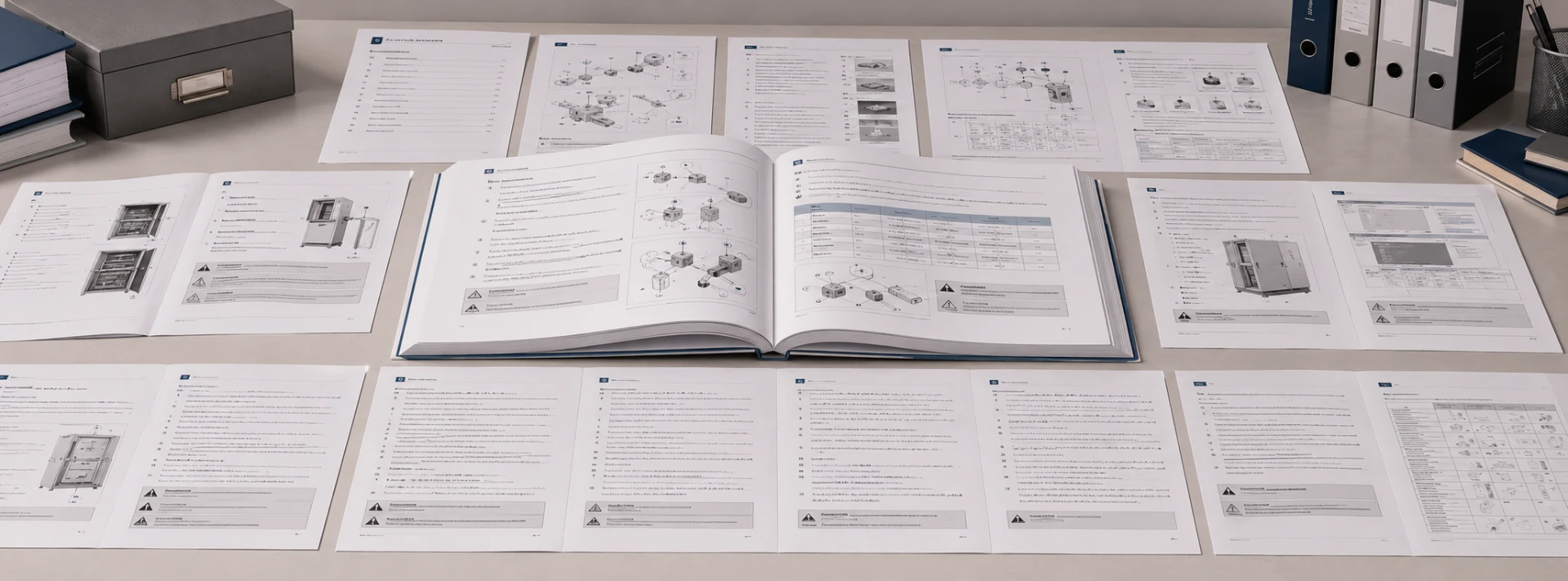
Multilingual technical manual showing diagrams, numbered instructions, warning boxes, tables and formatted page layouts
Manual desktop publishing keeps translated instructions readable, navigable, and visually coordinated across technical page elements.
Source Layout

Layout Alignment with the Source Manual

After translated text is placed into the manual, page layouts need to be checked and adjusted so headings, body styles, tables, captions, numbered procedures, headers, footers, and page references remain usable and visually consistent.

✓ Text-frame sizing✓ Heading & body styles✓ Table reconstruction✓ Numbered-list formatting✓ Pagination control✓ Contents & index updates
Page Flow

Managing Language Expansion

Translated text can become longer or shorter than the source. Manual DTP therefore adjusts text frames, spacing, line breaks, type size, pagination, and page flow, with images or tables repositioned when needed to preserve readability.

✓ Text expansion & contraction✓ Line-break adjustment✓ Spacing and type sizing✓ Page-flow control✓ Image repositioning✓ Table repositioning
Overflow should not be solved simply by shrinking the text until it fits.
Visual Content

Diagrams, Screenshots & Callouts

Technical manuals often contain translated information outside the main text flow. Callouts, diagram labels, screenshots, captions, warning symbols, UI images, and chart text may all require separate graphic adjustment or reconstruction.

✓ Callout replacement✓ Diagram-label translation✓ Screenshot updates✓ Caption formatting✓ Warning-symbol alignment✓ Text inside graphics
Pre-Delivery QA

Formatting QA Before Delivery

Before delivery, the formatted manual is reviewed for visual, functional, and output issues that could affect reading, navigation, editing, or final production.

✓ Text overflow✓ Content truncation✓ Missing labels✓ Font consistency✓ Table alignment✓ Image position✓ Page numbering✓ Cross-references✓ Heading hierarchy✓ Contents & index✓ Print-ready output✓ Editable-file integrity
Source File Quality

Source File Quality & Layout Results

Preferred

Native Editable Files

DOCX, PPTX, IDML, INDD, FrameMaker, and similar editable files generally provide more stable control over styles, text flow, tables, graphics, and final output.

DOCXPPTXIDMLINDDFrameMaker
Rebuild When Required

Flat PDFs & Scanned Manuals

When native files are unavailable, manuals can still be rebuilt, but the required time, project price, and achievable visual similarity depend on source clarity, page complexity, and the amount of reconstruction required.

Flat PDFScanned PDFImage FilesLegacy Files

Textsprime provides manual desktop publishing for technical, user, installation, operation, maintenance, and training materials. The final workflow is configured around the available source files, target language, layout complexity, and required print or digital output.

Scalable DTP Support

Outsource Desktop Publishing Services

When to Outsource Desktop Publishing

Outsourcing becomes practical when internal teams lack the language-specific layout skills, specialist software, production capacity, or time required to prepare complex multilingual documents for release.

Limited in-house target-language DTP expertise
Specialist publishing or design software required
Several language versions released together
Large or technically complex document sets
RTL, CJK, graphic editing, or prepress requirements
Tight publishing schedules and limited internal capacity

Benefits of Outsourcing Desktop Publishing Services

A specialized DTP partner can reduce the need for internal software, training, and dedicated multilingual layout resources while combining language, formatting, and QA within one production workflow.

  • Reduce internal software and training requirements
  • Combine language, DTP, and QA in one workflow
  • Scale more easily for large multilingual projects
  • Shorten document preparation and release cycles
  • Maintain consistency across languages and versions

Outsourcing Desktop Publishing Services for Recurring Projects

Recurring projects become more efficient when approved layouts, font rules, file specifications, and publishing standards are reused from one release to the next.

TemplatesReuse page structures and style systems
Fonts & SpecsPreserve approved font and output requirements
Language AssetsConnect terminology and translation memory
Version UpdatesSupport reports, catalogs, manuals, and product revisions

What to Provide to an Outsourced DTP Team

01Native Source FilesEditable project files whenever available
02Reference PDFApproved visual reference for the source layout
03Final TranslationApproved target-language content for layout
04Fonts & LinksFonts, images, graphics, and linked assets
05Brand GuidelinesTemplates, styles, and approved brand standards
06Output SpecificationsPrint, digital, editable, or other deliverables
07Locale RequirementsTarget language, market, and regional conventions
08DeadlineRequired delivery date and review milestones

If a print supplier has specific bleed, color, font, finishing, or output requirements, include those specifications during the initial file review.

Project Scope & Pricing

Desktop Publishing Cost & Turnaround Time

COST

What Affects Desktop Publishing Cost and Desktop Publishing Price?

Desktop publishing cost reflects the actual production scope. File condition, language requirements, page complexity, graphics, review level, and final publishing specifications can all change the amount of DTP work required.

01Pages & Files

Total page count and number of source files.

02File Editability

Native files, flat PDFs, scans, or legacy formats.

03Language Count

One target language or coordinated multilingual delivery.

04Layout Complexity

Page structure, graphics, tables, charts, and screenshots.

05Language Expansion

Text growth, contraction, RTL, CJK, and complex scripts.

06Conversion & OCR

Text extraction, document conversion, or scanned-file rebuilding.

07Graphics & Fonts

Text inside images, font substitution, and graphic editing.

08Review & Output

Linguistic review, print preparation, revisions, and deadline.

TIME

What Affects Turnaround Time?

DTP turnaround is planned after the files are reviewed. The schedule depends on project volume, source-file readiness, language count, production complexity, review resources, feedback, and the number of required output versions.

01Project VolumeTotal pages and number of files
02Target LanguagesNumber of language versions in production
03Source File ReadinessCompleteness of files, fonts, links, and references
04File & Graphic ComplexityTables, diagrams, images, screenshots, and layout density
05OCR & ReconstructionAdditional rebuilding required for non-editable files
06Review ResourcesDTP specialists and linguistic reviewers required
07Feedback & OutputsClient review rounds and number of output formats
08UrgencyRush requirements assessed after the files are reviewed

How a Desktop Publishing Quote Is Prepared

01File Review

Inspect source-file condition and editability.

02Scope

Confirm files, pages, languages, and project requirements.

03Workflow & QA

Define DTP, review, OCR, graphics, and reconstruction needs.

04Deliverables

Confirm editable, review, print, or digital outputs.

05Quote & Timeline

Provide the project schedule and final project price.

Why Fixed Public Pricing Is Not Recommended

A one-page editable Word document and a scanned technical manual containing hundreds of pages do not require the same production effort. Basic formatting and complete page reconstruction also represent very different scopes of work.

Simple ScopeEditable File

Basic formatting and limited layout adjustment

Complex ScopeFull Reconstruction

OCR, graphics, rebuilding, and multilingual QA

Volume, Multilingual and Recurring Project Pricing

For recurring or multilingual projects, production efficiency can be evaluated based on reusable templates, repeated pages, and existing language assets. Long-term projects can also use shared formatting rules and repeatable workflows.

  • Reusable templates and page structures
  • Repeated content and existing language assets
  • Shared specifications for recurring releases
  • Efficiency assessed from the actual project scope

Large volume does not automatically mean a fixed discount; pricing is evaluated against the reusable work and actual production scope.

Desktop publishing price and turnaround are confirmed after file review. Send the source files, target languages, required outputs, and deadline so the project can be evaluated against its actual layout, graphics, reconstruction, and QA requirements.

Desktop Publishing Questions

Desktop Publishing FAQs

01What Is Desktop Publishing?

Desktop publishing is the process of organizing text, images, graphics, tables, and other page elements into a structured document for print or digital use. Professional DTP focuses on typography, page layout, visual hierarchy, formatting, and final publication preparation.

02What Is Desktop Publishing DTP in Translation?

In translation projects, DTP usually takes place after the translated content is approved. The target-language text is placed into the original or rebuilt layout, then fonts, text frames, spacing, tables, graphics, pagination, and other page elements are adjusted for the new language.

03How Are Desktop Publishing Translation Services Different from Translation?

Translation focuses on the language content and meaning. Desktop publishing focuses on placing the approved translation into the document layout and preparing the file for final use. Translation and DTP can be managed together, but they remain separate professional tasks.

04Can DTP Support Right-to-Left and Asian Languages?

Yes. Arabic and Hebrew may require right-to-left page flow and special handling of lists, tables, arrows, numbers, and mixed language content. Chinese, Japanese, and Korean require suitable fonts, character support, language-specific line breaking, punctuation, and text-density control.

05Can Scanned PDFs and Non-Editable Documents Be Recreated?

Yes. Scanned PDFs and other non-editable files can often be processed through OCR, text extraction, graphic editing, and layout reconstruction. The required time, cost, and achievable visual similarity depend on source clarity, page complexity, and the available reference materials.

06Can Text inside Images, Charts and Diagrams Be Localized?

Yes, when the text is sufficiently clear and the graphics are editable or can reasonably be rebuilt. This can include diagram labels, chart text, callouts, infographic content, screenshot annotations, and text embedded in images. Graphic editing should be included in the agreed project scope.

07What Desktop Publishing Tools Do You Support?

DTP projects may involve Adobe InDesign, Illustrator, Photoshop, Microsoft Word, PowerPoint, FrameMaker, QuarkXPress, MadCap Flare, CorelDRAW, and other authoring or publishing tools. Compatibility is confirmed from the source file and specific project requirements.

08How Much Does Desktop Publishing Cost and How Long Does It Take?

Cost and turnaround depend on page count, file type, editability, language count, layout complexity, graphics, OCR, reconstruction, review requirements, output formats, and deadline. Files are reviewed before a project-based quotation and production schedule are confirmed.

Have a document-specific question? Send the source file, target languages, required output formats, and deadline for a DTP review based on the actual project scope.